Similar shots
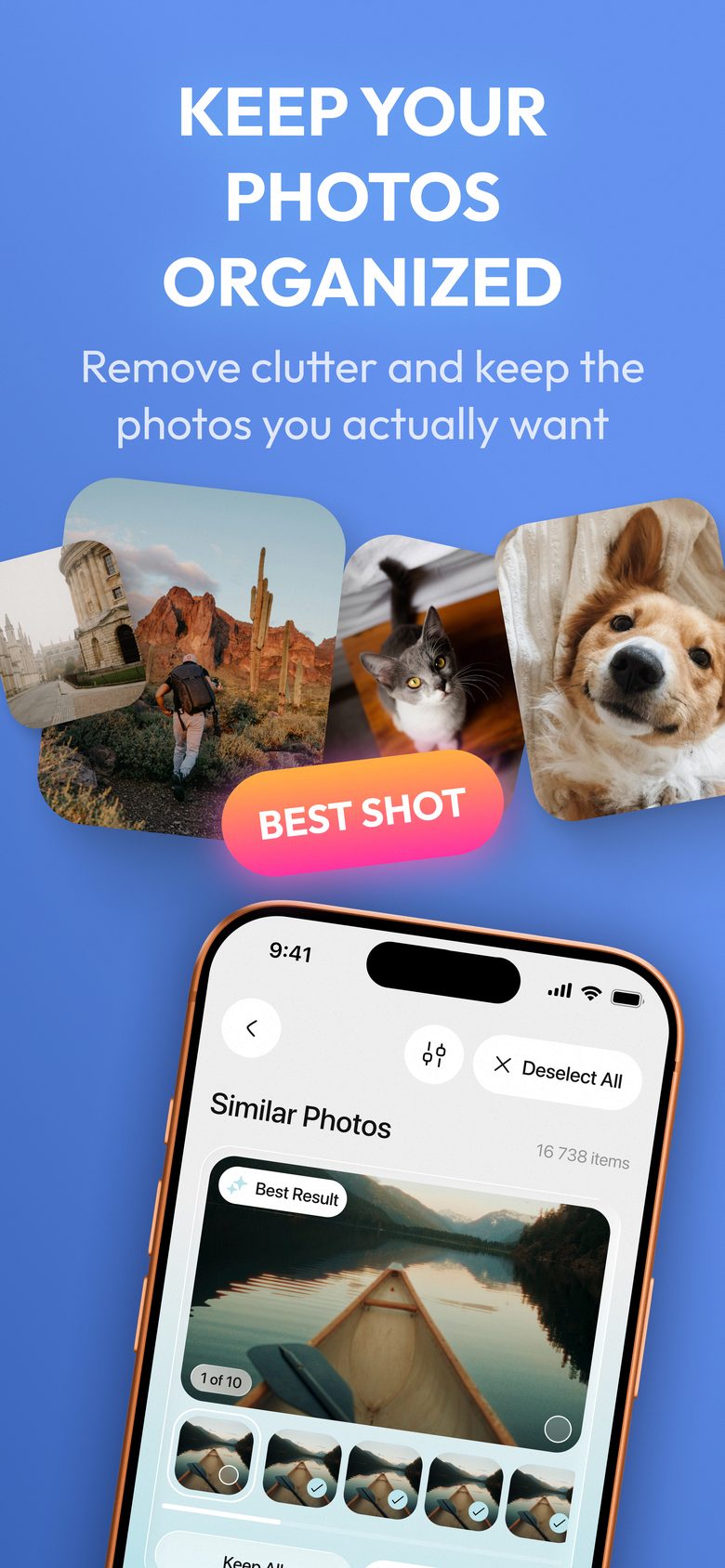
Burst frames laid out side by side with the sharpest one flagged. Keep the good one, drop the other nine.
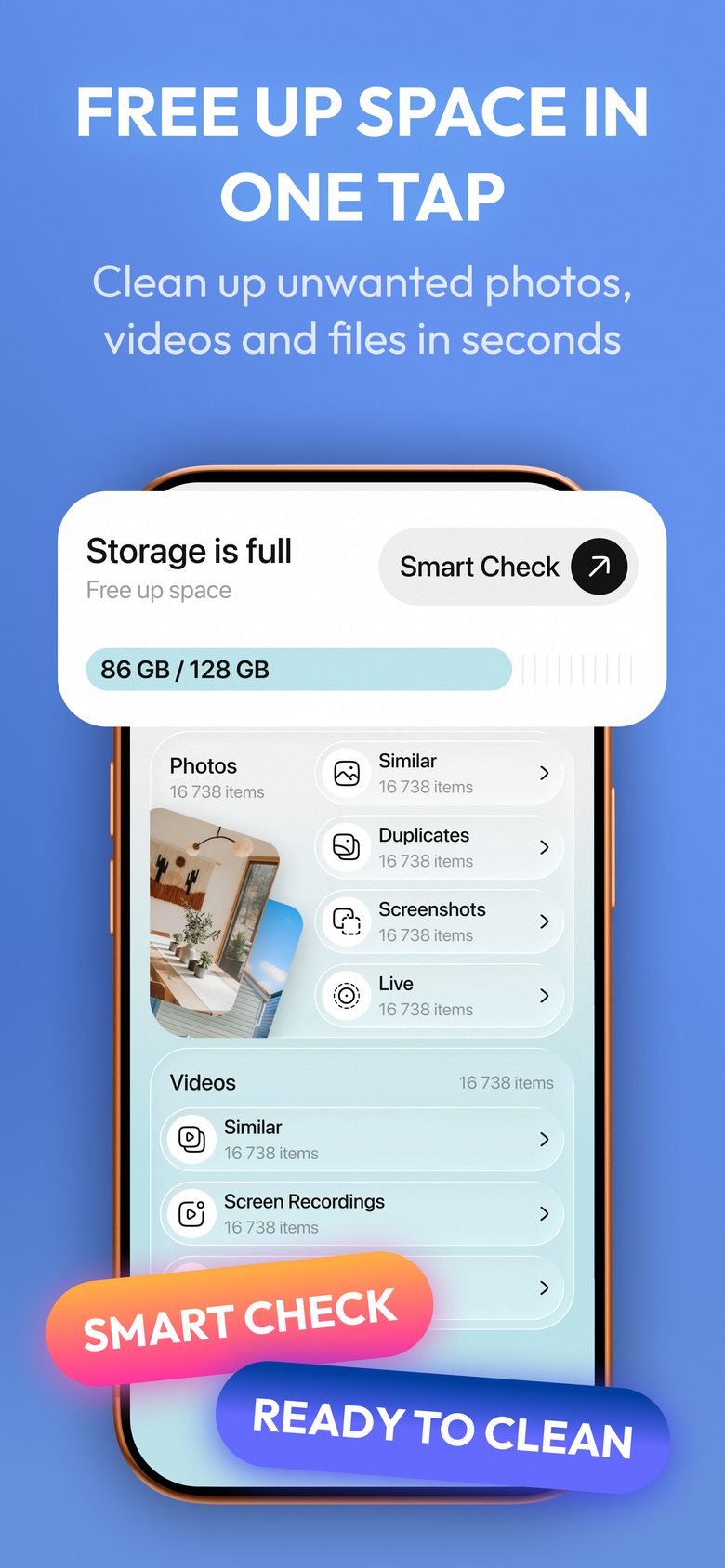
GigaClean groups the duplicates, the near-identical bursts and the forgotten screen recordings, then clears them in one pass.
Every category is reviewed separately, so you always see what you are about to remove and how much it is worth.
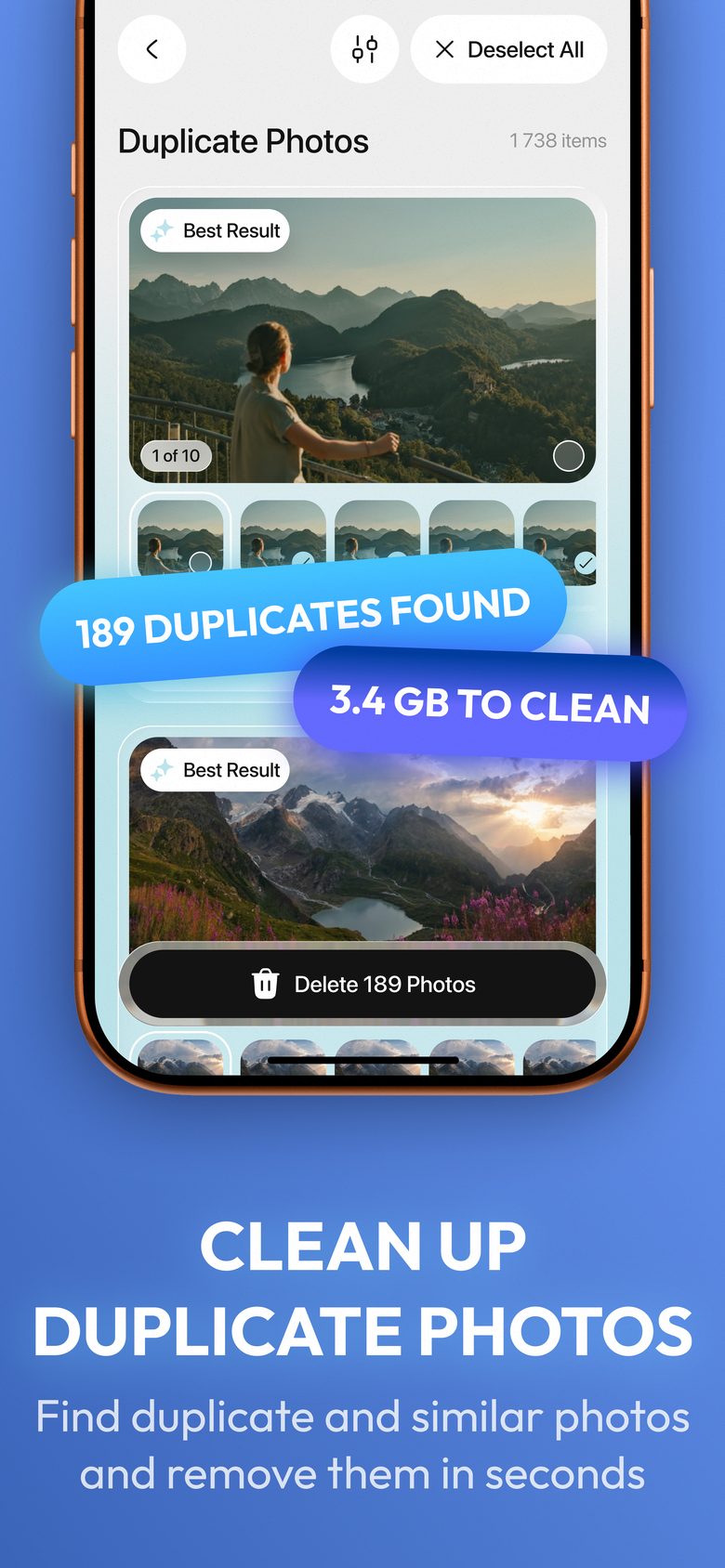
The same picture saved twice by a share sheet, a download or an app export. GigaClean puts every copy in one group, marks the best result and leaves the rest selected, so a group is one tap to clear.
Burst frames laid out side by side with the sharpest one flagged. Keep the good one, drop the other nine.
Receipts, maps and confirmation screens you saved for ten minutes and kept for two years, plus Live Photos you never replay.
Sorted by size with the figure on every clip, because ten forgotten screen recordings outweigh a thousand photos. Near-identical takes are grouped the same way photos are.
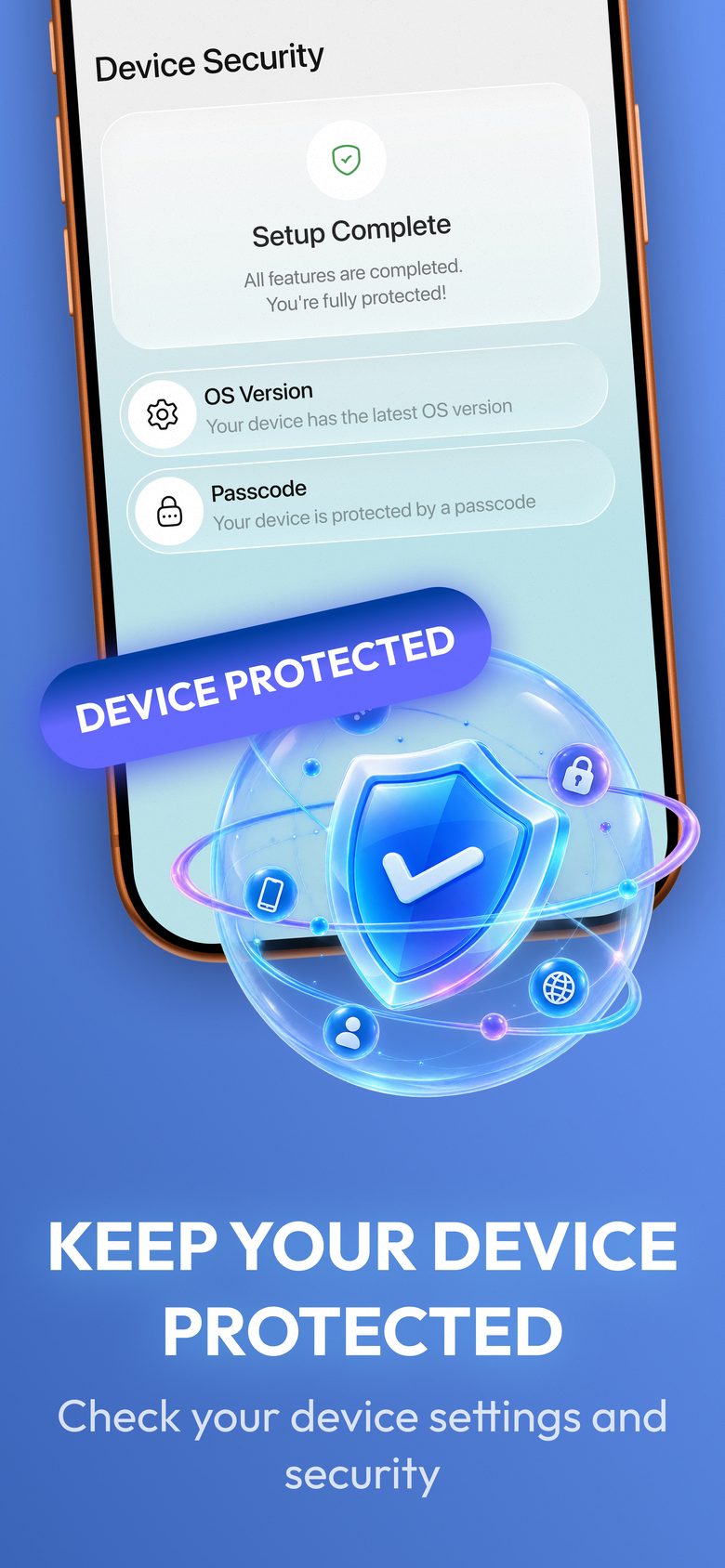
A plain readout of two iOS settings worth knowing about: whether your system version is current and whether a passcode is set.
Lift the subject out of a photo and keep a clean cut-out, handled on the device like everything else.
You see the exact figure you are about to reclaim before a single item moves.
Grant access to Photos and GigaClean builds the picture: every duplicate group, every burst, every heavy clip, with a running total of what it adds up to.
Open a category and swipe through the groups, or take the whole cluster at once. The best result is already marked; the rest is your call.
GigaClean shows the total, then moves everything you chose to Recently Deleted, where iOS holds it for 30 days in case you change your mind.
Straight from the App Store listing.
Swipe to see the rest
GigaClean compares your photos on the device itself. There is no account to create, no upload step and no copy of your library on a server, because no server takes part in the scan.
Read the Privacy PolicyNothing is removed without your confirmation, and what you remove goes to the Recently Deleted album in Photos, where iOS holds it for 30 days. You can restore any of it from there.
Not for scanning. The comparison runs on your device. A connection is only used to load subscription details from the App Store.
To find duplicates the app has to compare photos against each other, which means it needs to see the library rather than one selected image. You can revoke the permission at any time in iOS Settings, and the app keeps working with whatever you grant.
No, and it is not meant to. iOS does not let apps scan the system or other apps. The checklist reads two settings that iOS does expose, your system version and whether a passcode is set, and tells you what they say. That is the whole feature.
No. GigaClean works with your photo and video library, which is usually the largest thing on the phone. Storage used by other apps is theirs to manage, and iOS does not give a cleaner access to it.
You keep the paid features until the end of the period you already paid for, then the app returns to its free tier. Scanning and previewing stay available. Subscriptions are managed in your Apple Account settings, and the subscription terms spell out the renewal rules.
Write to [email protected]. Include your iOS version, your iPhone model and what you were doing when the problem appeared. The Support page covers the questions that come up most.

Scan your library for free and see what is actually taking up the space.
Download on the App Store